Successful Testing of 16 Workplaces on a Single Computer Using ASTER Software

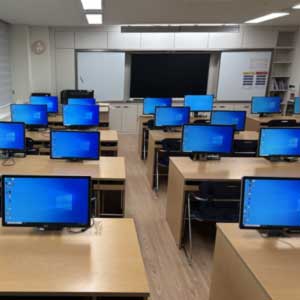
IBIK LLC is proud to announce the successful testing of 16 independent workstations on a single computer using the ASTER multi-user program. Our partner in South Korea- Linkable (linkable.kr)- conducted large-scale practical testing of a 16-user configuration in an actual school computer lab. The results confirmed ASTER’s high stability and efficiency, even under heavy load.

Test Configuration

  • Server: Intel i9-10900KF processor, NVIDIA Quadro P2200 graphics card, 32 GB of DDR4 RAM, 256 GB SSD, and Windows Server 2025.
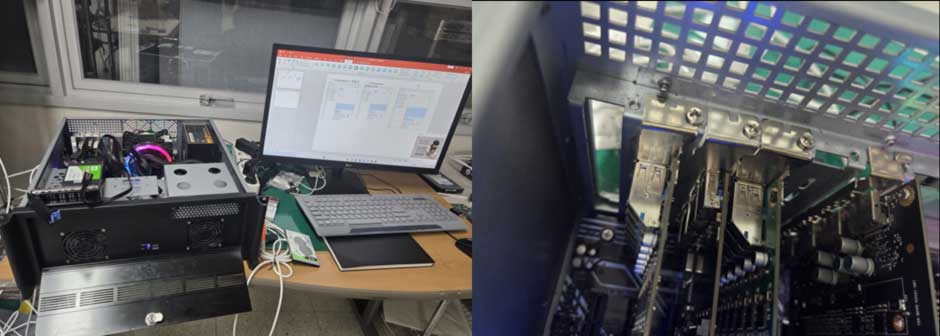
hardware
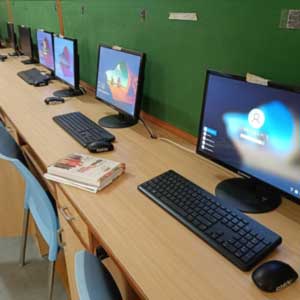
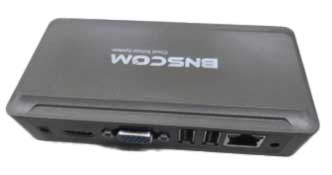
  • Workplaces: 15 USB graphic docking stations with monitors + 1 server monitor (16 workplaces total).
hardware2 1
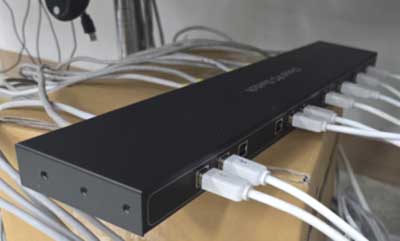
  • Connection: Multi-USB converter (USB to RJ45) for distances up to 60 meters.
hardware3
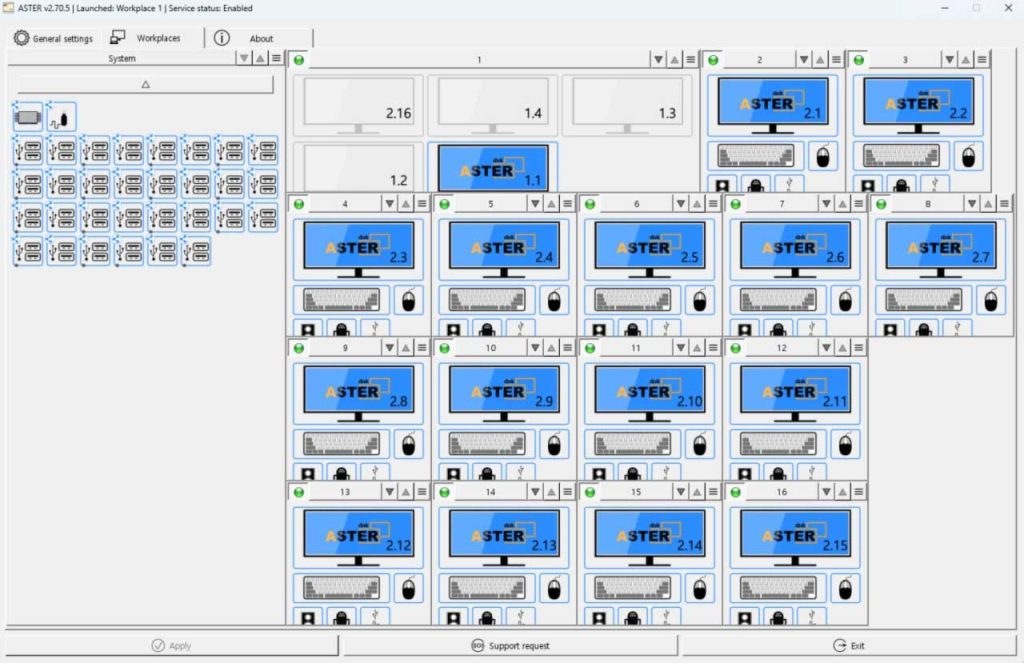
  • ASTER Version: 2.70.5 (16-user license).
gui01

Performance Results

The system demonstrated excellent efficiency even when 16 workplaces were running simultaneously:

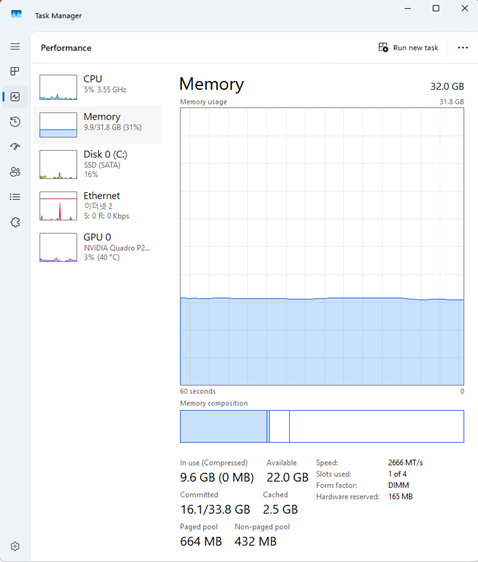
  • Right after boot (16 workplaces active): CPU usage: 5%, GPU usage: 3%, RAM usage: 9.6 GB.
image
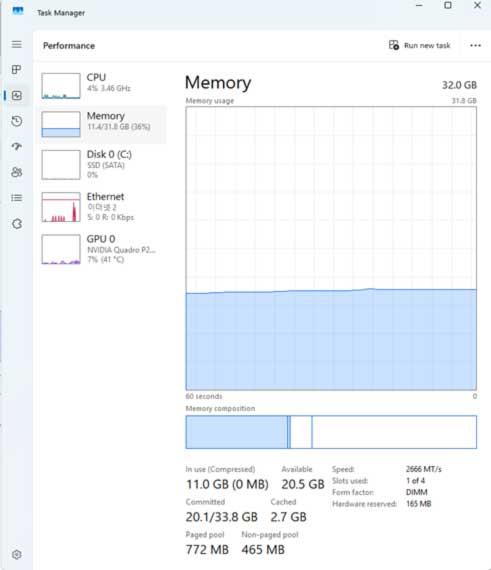
  • Fifteen users are working in PowerPoint: CPU usage: 4%; GPU usage: 7%; RAM usage: 11 GB.
cpu02
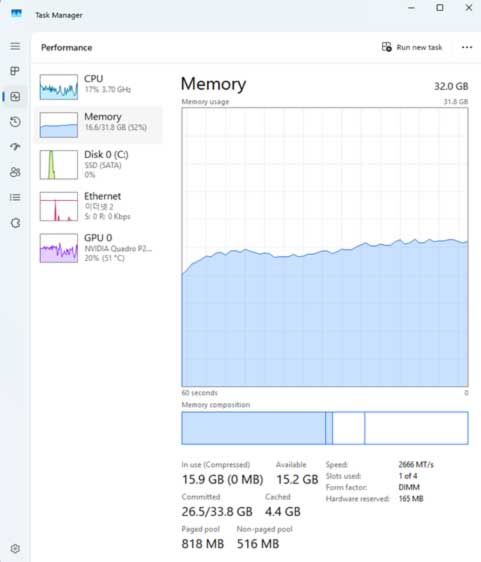
  • Fifteen users are running PowerPoint slideshows: CPU usage: 17%; GPU usage: 20%; RAM usage: 15.9 GB.
cpu03

The test clearly shows that one modern computer with ASTER can replace 16 PCs and provide stable, comfortable operation.

Special Management Features

Linkable Company has implemented several convenient administration tools for educational institutions:

  • The “Log Off” and “Shut Down” options were removed from the client workplaces.
  • Centralized Windows Update control is only available from the server.
  • The “Public Desktop” folder is used for the automatic distribution of software to all workplaces.
  • COM port display for each workplace.
  • Remote Server Management and Disk Protection System.

Target Application

This solution is in high demand in school computer labs, training centers, and other educational institutions, where reducing hardware costs without sacrificing performance and convenience is critical. ASTER has proven its reliability and efficiency in real-world conditions, confirming its status as one of the most powerful and cost-effective multiseat solutions on the market. ASTER: maximum performance at minimum cost.
stand
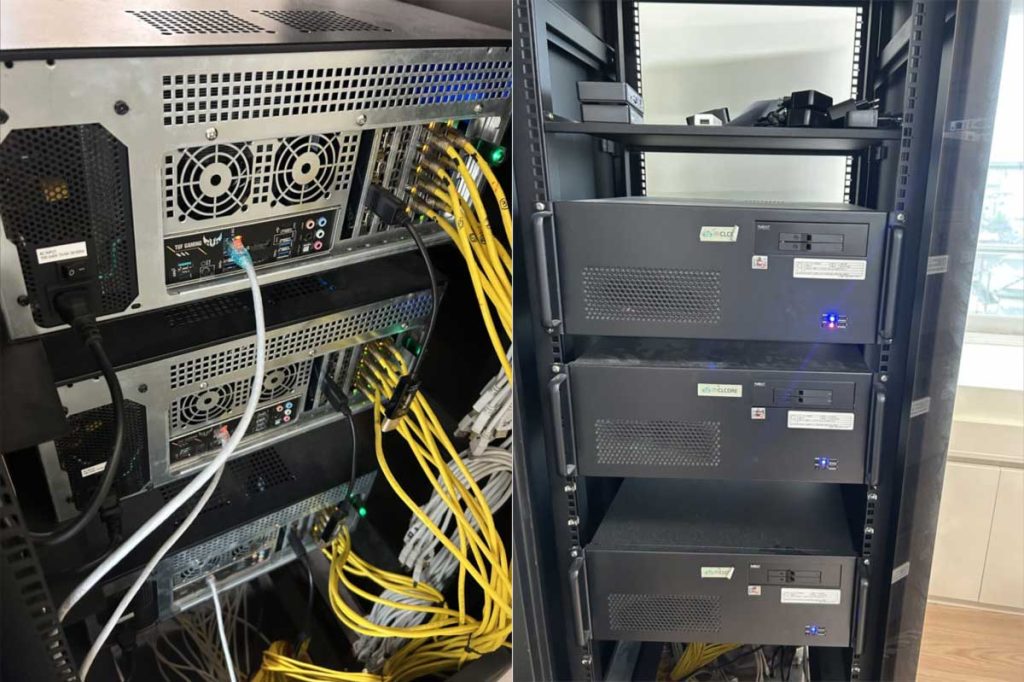
Stand for 3 multi-user PCs
class
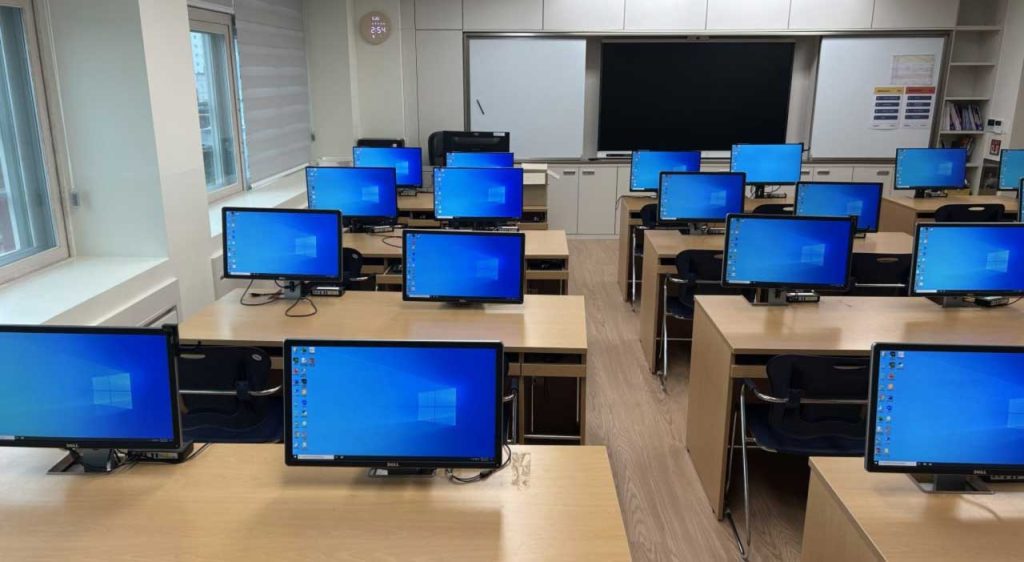
Computer lab with multi-user PCs

title pos

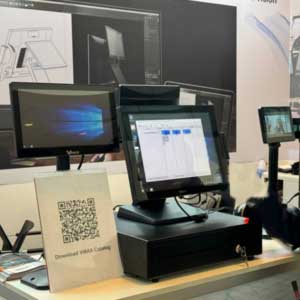
POS terminals with multiple screens as multi‑user PCs: new opportunities with ASTER

Modern POS terminals are becoming more powerful every year. Many models already come with multiple screens: a main display for the cashier and additional informational passive screens facing the customer. But what if you could turn such a terminal into a real...
school title

Due to voltage surge, personal computers in school broke down. What to do?

Introduction: Voltage fluctuation issues in educational institutions happen often, which can lead to significant equipment and learning time losses. It's important to consider effective solutions for protecting technology and saving budget. Solving the problem: Damage...
kyrsor title

How to Create Two Independent Mouse Cursors on One PC

Introduction: The demands for efficient computer usage are becoming increasingly stringent. One solution for enhancing productivity is the capability for multiple users to share a computer simultaneously - multi-user work on a PC. Simultaneous PC use is particularly...
miracast title

How to Connect an Additional Monitor to a Computer Using Miracast

Miracast is a wireless interface for transmitting video and audio, allowing the transfer of images and sound from one device to another without wires. Miracast technology is widely used in modern electronics, including laptops, smartphones, and TVs, making it popular...
usb c title

How to Connect an Additional Monitor to a Computer Using a USB-C Port

In today's world of information technology, the USB-C port has become an integral part of most new computers and laptops due to its versatility and high data transfer speed. They offer numerous advantages, including device charging, data transfer, and in some cases,...
raz title

Connecting Multiple Monitors to a PC and Unlocking Their Capabilities with ASTER

Connecting Multiple Monitors to a PC 1. Hardware Check: Ensure your PC has enough video outputs. Modern graphics cards come equipped with HDMI, DisplayPort, DVI, VGA, and sometimes USB-C ports. If you lack ports, consider adding a graphics card or using a docking...
anydesk title

Issues with Setting Up AnyDesk. How to Configure Anydesk?

Anydesk is a remote access tool that allows users to connect to other computers over the internet. Here are the main features and benefits of this application: Remote Support: Anydesk is frequently utilized by IT professionals to provide technical support. With this...