This is a review of Virtual Desktop Infrastructure (VDI), NComputing, and ASTER.
Massive transition using cloud services
From all sides, people talk about the transition to cloud services like cloud computing and Virtual Desktops. Many believe that most problems can be solved simply by migrating to the cloud. At the same time, the technical part, as a rule, does not cause any questions. The main doubts are centered around the cost of the solution. Financiers are interested in cash flows and the timing of the return on investment. However, it is important to choose the right cloud model and at the same time optimize the use of existing IT infrastructure.

Why is the hype on cloud computing?
Let’s figure it out. Why is external computing in clouds so beneficial for companies? To begin with, let’s understand what cloud computing is. Cloud computing services allow transferring big data to be processed and high load processing tasks from the company’s existing computers to external processing centers — clouds. The user gets access to the cloud services through his/her computer. The advantages of the services are:
- No need to purchase GPU cards and upgrade own computers
- Fast deployment of the high load computation tasks in the cloud
- Fast and easy scaling up or down the amount of the computation tasks
- Clouds provide secure data storage using RAID systems and for GPU processing by using only certified GPUs and cooled server rooms
Why is there hype on Virtual Desktop (VD) services?
More and more companies use Virtual Desktop services. It’s easy to understand that this service is related to providing Virtual Desktops to clients. Why has this service become so popular? It uses a client-server computing model. Cloud companies as they have many servers usually provide VD services. If all calculations are performed on the server system, then the amount of calculations on the client system becomes small. For small tasks on the client-side, low-performance computers are more suitable. Such computers are called thin clients or terminals. The user uses his thin client and lightweight thin client software to log on to the server. After successful authentication on the server, the user sees their desktop on his/her display. This desktop is called Virtual Desktop as it is created virtually on the server. The thin client just displays the desktop. Therefore, all the IT infrastructure for providing cloud computing is called Virtual Desktop Infrastructure (VDI), and the computers on the client side are called VDI thin clients. Thin client computing and VD services have become very popular because of the reasonable cost of VDI services and reduction of:
- TCO: low cost of thin client computers, reduction of SW licenses costs, etc.
- lower electricity consumption
- lower expense on maintenance of IT-infrastructure
VDI Effectiveness
VDI optimization is not just about saving money by moving to the cloud, but also maximizing the use of existing IT infrastructure. The transition to cloud computing leads to the fact that traditional personal computers have become unused. Effective usage of old computers could improve the cost-effectiveness of VDI.
How can old PCs be useful in VDI?
You can use the existing computers of companies as thin clients. On one hand, their capabilities are broader than those of simple thin clients — they can also perform local tasks, which makes the transition to cloud technologies smoother and more manageable. On the other hand, there are additional energy costs, more workspace is required, and higher costs for maintenance. We will describe later how it is possible to use some parts of old PCs in VDI.
How is VDI organized based on Microsoft Products?
Microsoft provides a cloud platform called Azure. All computers in the Azure cloud use Windows Server Operating System (OS) while the thin clients use Windows OS. In 2021, Microsoft had a plan to release a specialized Windows OS version for old computers. The sole purpose of the OS was to make the old computers work as thin clients. On Windows (OS), there is a standard protocol for accessing Windows Server called the Remote Desktop Protocol (RDP). The thin clients are made specially to work through RDP are called RDP thin clients.
VDI organized with Ncomputing thin clients
An example of a thin client is an NComputing thin client. VDI with the NComputing products based on Windows Virtual Desktop solutions. The advantage of the NComputing solution is that they support different partners’ DaaS (desktop as a service) and SaaS (software as a service) solutions. The solution simplifies the transition to VDI like Citrix Workspace, Igel Cloud, and Stratodesk NoTouch Center. In the case of the transition to VDI with NComputing devices — old computers become unnecessary. Therefore, old computers become e-waste as it is necessary to buy new NComputing thin clients.
Is there an alternative to the thin client model?
The alternative to a thin client is a zero client. While a traditional thin client is streamlined for multi-protocol client-server communication, a zero client performs only data transition through a highly tuned onboard processor specifically designed for one protocol (PCoIP, HDX, RemoteFX, DDP). A device with such simple functionality has less demand for complex hardware or silicon and therefore becomes less prone to obsolescence. Another key benefit of the zero client model is its lightweight firmware represents an ultra-small attack surface, making it more secure than a thin client. Furthermore, the local firmware is so simple that it requires very little to no setup or ongoing administration. It’s the ultimate in desktop simplification, with the trade-off of flexibility. Most mainstream zero clients are specialized for one communication protocol only. Zero clients are less complex and cheaper than thin clients.
VDI organized with software zero clients
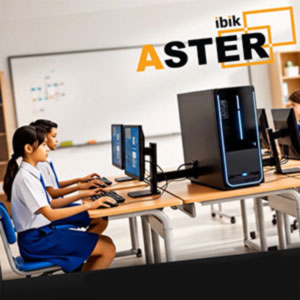
An alternative to the NComputing approach is using the old computers with a multi-user access program called ASTER. ASTER program allows creating up to 12 workplaces based on a single PC with a Windows 7/8/10 and Windows Server 2016/2019 (supported on Pro licenses only) operating system. The workplaces are ASTER’s zero clients. The single Windows PC is an ASTER’s thick client. Thick clients have the ASTER program installed. The zero clients are connected to the thick client via video cable, USB cable, or wirelessly. In this case, a zero client device consists of a monitor, keyboard and a mouse additionally it can consists of a web camera and headphones with a microphone as well depending on the use case. The thick client price is the price of a single standalone desktop, all necessary ASTER licenses plus additional graphic cards (if required). The desktop is the main part of the thick client cost. It is even possible to use an old computer desktop as the desktop of the thick client. The zero client price is the price of all necessary zero client hardware (monitor, keyboard, mouse, web camera, headphones, video cable, USB cable, and USB hub). We can get the hardware from the thick client as well as the zero clients from the unused old computers.
Comparison of VDI
From the table results, we could say that VDI organized with ASTER is a very good alternative to VDI organized with NComputing devices.
What are the advantages of VDI organized with ASTER?
The main advantage of the usage of ASTER is based multiseat PC (so-called on-site cloud) is that it reduces the budget required and helps to further use of the company’s old IT infrastructure. In detail it will allow:
- reducing the complexity of network administration (ASTER zero clients connect to the ASTER thick client just through video cables and USB extenders)
- improving VDI cost-efficiency by using old desktops as the thick clients
- saving on hardware purchases of new computers (some of the abandoned PCs can be used in the “cold reserve” mode for use in temporary projects)
- additionally, reducing the total cost of ownership (TCO) by reducing the cost of maintenance, upgrades, and repair
- reducing electricity consumption (only by saving electricity, the cost of an ASTER license per workplace pays off in less than six months)
- increasing the security of the system in comparison with ordinary computers. ASTER workplaces contain only monitors, mice, and keyboards, and access to the disk are regulated by the Microsoft account settings. Thus, has fewer points of attack in security and privacy
- organizing a wireless thin-client/wireless zero clients is possible by using the Windows Wireless Display Adapter.
- using it as a home personal cloud or private cloud and organizing a home thin client system for remote work during a pandemic
- improving VDI cost-efficiency by utilizing old hardware (mice, monitors, keyboards, headphones, web cameras, etc.) for the zero clients
- reducing the cost of purchasing licenses that are tied to the processor under the license agreement.
The effectiveness of ASTER zero clients is confirmed by sales of over 30 thousand ASTER licenses. The major sales regions for ASTER are the USA, EU, China, India, and Brazil.
Use VDI with zero clients of ASTER.
Are you interested in using ASTER for organizing VDI in your organization?